

Peak Amplify for Webex Calling and Peak Wallboard for Webex Contact Center are cloud-based add-ons that provide real-time and historical insight into your contact center operations. They empower your organization to oversee Customer Experience and Agent Performance, regardless of whether your team operates from home, on the go, or within office premises.
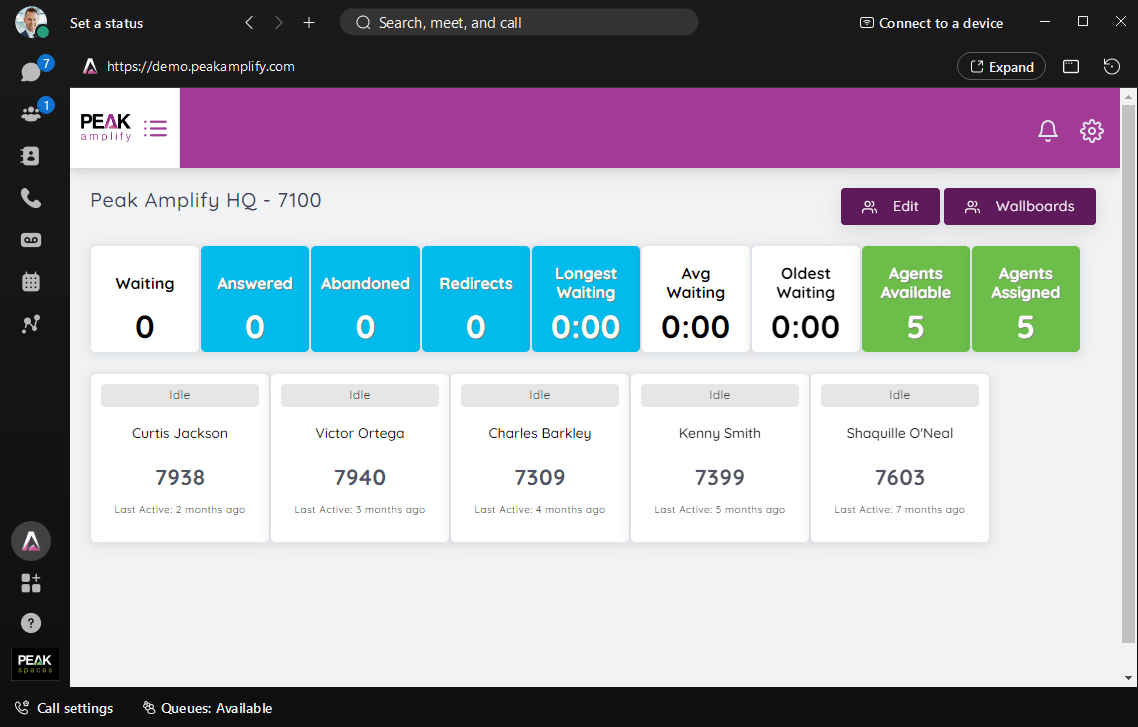
In this article, you will find out how to embed Peak Amplify within the Webex App.
Embedding Peak Amplify within the Webex App
- Sign in to Webex Control Hub, then under Management, select Apps.
- In the General section, under Website Shortcuts, click Add website shortcut.
- Enter your preferred Display name for example ‘Peak Amplify’ and the URL of either a Sharable Link you have created, or your site address (for example, <yoursite>.peakamplify.com).
- Upload this custom Peak Amplify icon.
- Click Create shortcut and next.
- Once your shortcut is created, you can assign it to groups of users. Select the users you want to have access to this shortcut, then click Done.
For further information on Peak Wallboard and Peak Analytics for Webex Calling, see our product page.